publCIF下载与安装
- 2026-11-25 00:03:39

★声明:本文仅代表个人观点,笔者学识有限,资料整理过程中难免存在疏漏谬误,请不吝指正。
如需在论文中致谢笔者,请添加以下内容:
We appreciate the help of freelancer DJ_Tokyo in the crystal data process and structure solution and refinement.
publCIF下载与安装
publCIF可从“https://publcif.iucr.org/publcif.php”免费下载,如图1所示。
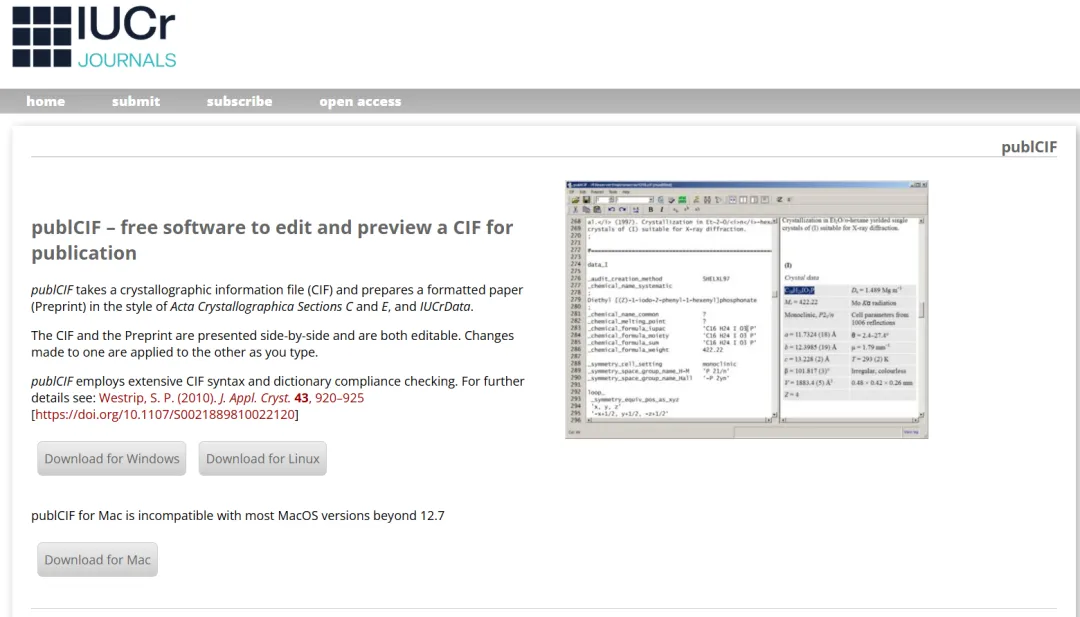
▲图1 publCIF下载页面
publCIF – free software to edit and preview a CIF for publication | publCIF——编辑和预览CIF以供发表的免费软件 |
publCIF takes a crystallographic information file (CIF) and prepares a formatted paper (Preprint) in the style of Acta Crystallographica Sections C and E, and IUCrData. | publCIF读取晶体学信息文件(CIF)并以《晶体学报》C辑和E辑以及IUCrData样式准备格式化论文(预印)。 |
The CIF and the Preprint are presented side-by-side and are both editable. Changes made to one are applied to the other as you type. | CIF和预印并排显示,都是可编辑的。当您键入时,对其中一个所做的更改将应用于另一个。 |
publCIF employs extensive CIF syntax and dictionary compliance checking. For further details see: Westrip, S. P. (2010). J. Appl. Cryst. 43, 920–925 [https://doi.org/10.1107/S0021889810022120] | publCIF采用了广泛的CIF语法和字典合规性检查。更多详情请参见论文:Westrip, S. P. (2010). J. Appl. Cryst. 43, 920–925 [https://doi.org/10.1107/S0021889810022120] |
笔者电脑是Windows操作系统,因此点击“Download for Windows”下载安装程序,如图2所示,下载的文件为“publcif_win_1.9.22e.exe”(约73.5 MB)。
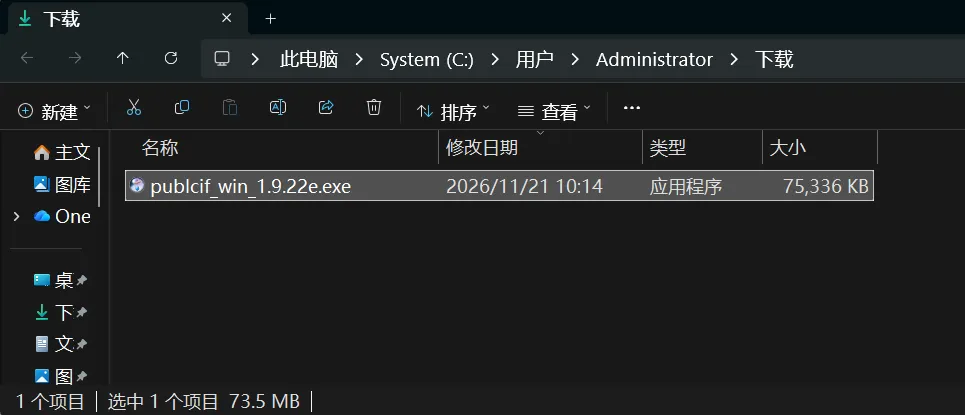
▲图2 publCIF安装程序
双击“publcif_win_1.9.22e.exe”进入安装界面,如图3所示,点击“Next”。
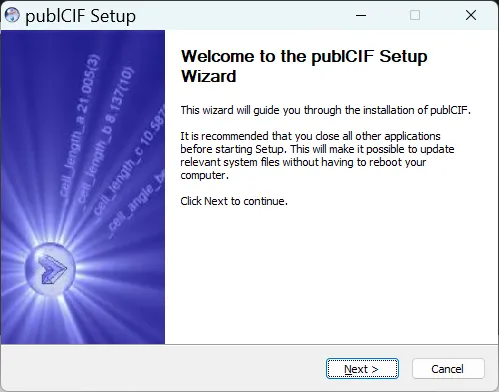
▲图3 publCIF安装界面
接下来是许可协议(License Agreement),如图4所示,点击“I Agree”。
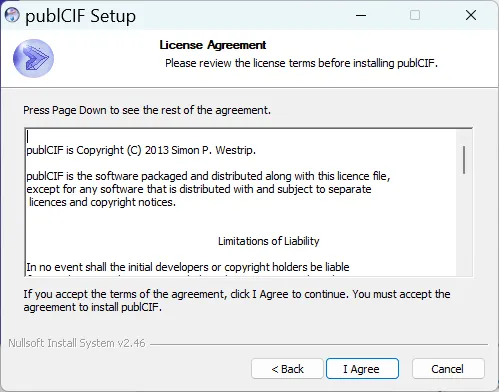
▲图4 许可协议
然后是组件选择,如图5所示,默认全选“Program package”“Start Menu Shortcuts”(开始菜单快捷方式)和“Desktop Shortcuts”(桌面快捷方式),后两项可根据需要勾选或取消,完成后点击“Next”。
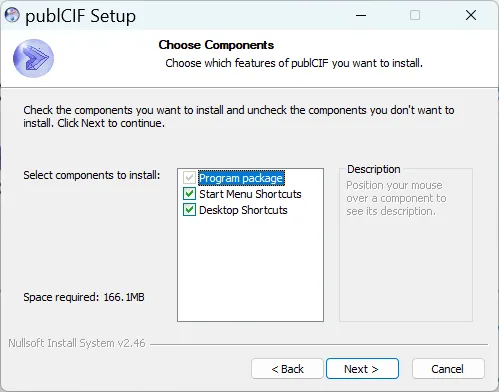
▲图5 安装组件
然后是安装路径设置,如图6所示,根据需要修改,完成后点击“Install”。
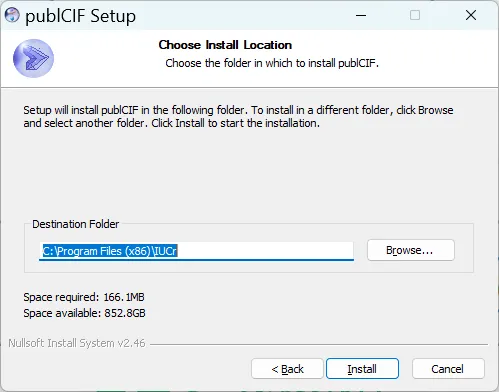
▲图6 安装路径
随后是安装进度,如图7所示,等待完成即可。
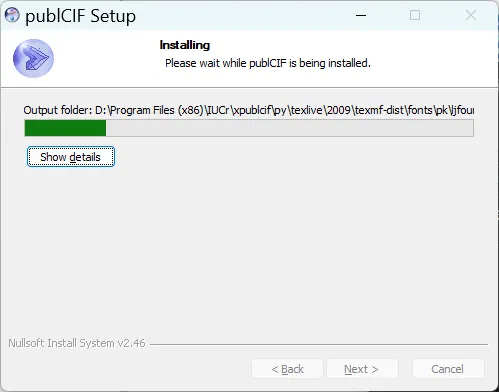
▲图7 安装进度
安装完成后,如图8所示,点击“Finish”。
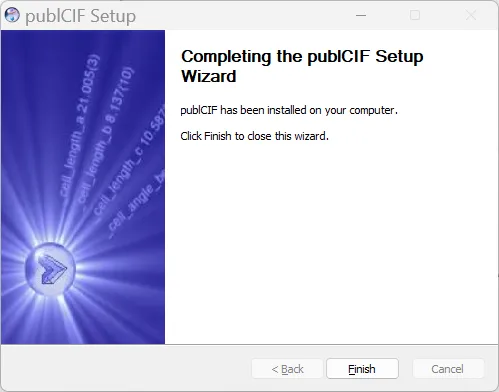
▲图8 安装完成
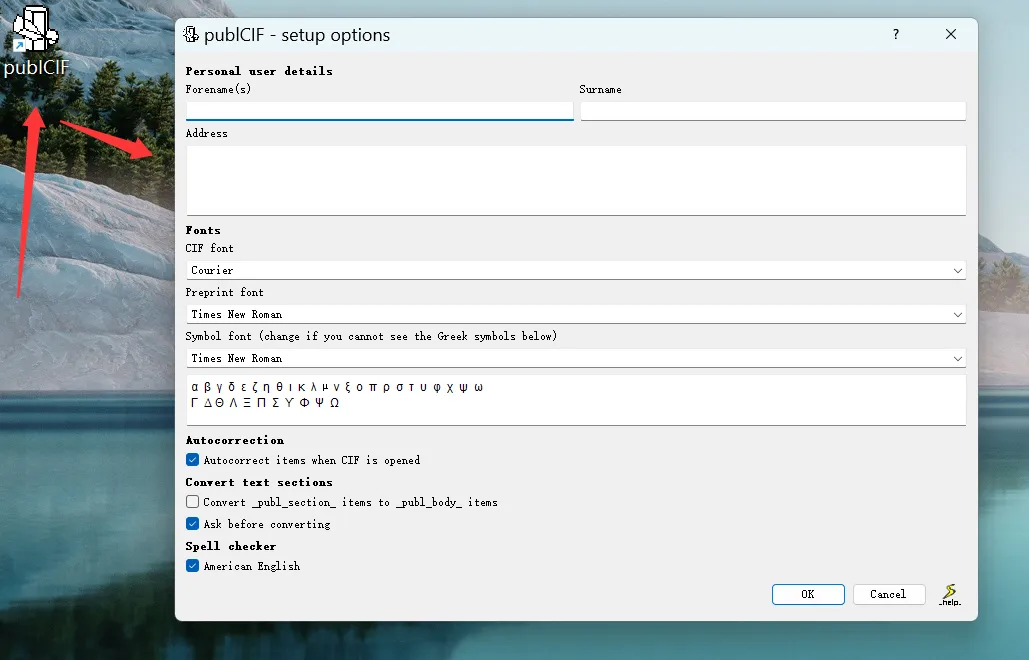
随后即可正常使用,如图9所示是第一次打开publCIF的设置选项,可根据需要设置。
▲图9 publCIF设置选项界面
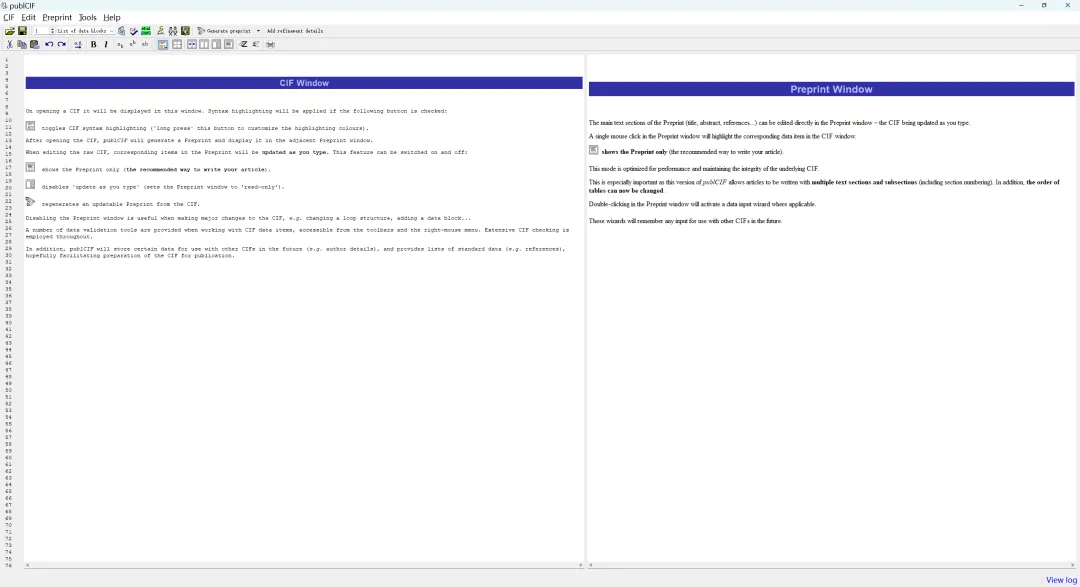
进入工作界面如图10所示,左侧是CIF窗口,右侧是预印窗口。
▲图10 publCIF工作界面
安装程序可从上述网址或以下链接下载:
链接: https://pan.baidu.com/s/1SoX_gsbGGv8J2Yr-OL3qxQ?pwd=7kux
提取码: 7kux

