【IDM(Internet Download Manager) v10.0.19安装教程】(下载工具)
Click the blue text to follow us
自在探索 与影同行
Wander Freely, Followed by Shadows
软件名称:Internet Download Manager
软件性质:绿色版
适用系统:64位
软件版本:v6.42.36
软件大小:11.7MB
语言支持:简体中文
软件资源链接获取见文章结尾!
Internet Download Manager (IDM) 是一款业界领先的Windows平台下载加速工具,以其多线程下载技术和智能文件分段能力著称,可将下载速度提升至常规下载的5倍以上。
安装步骤
Installation Procedure
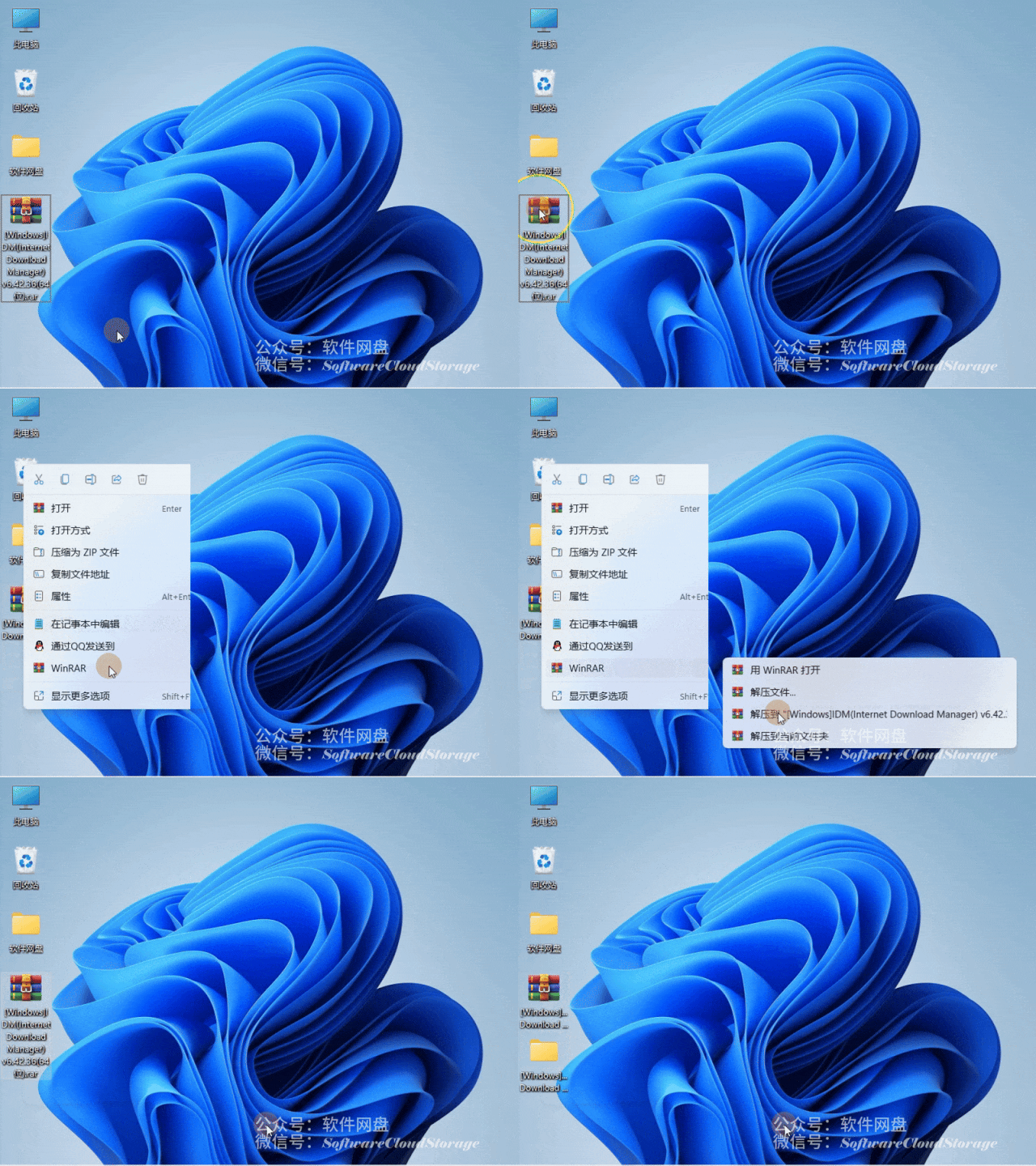
右键解压【IDM(Internet Download Manager) v6.42.36(64位)】
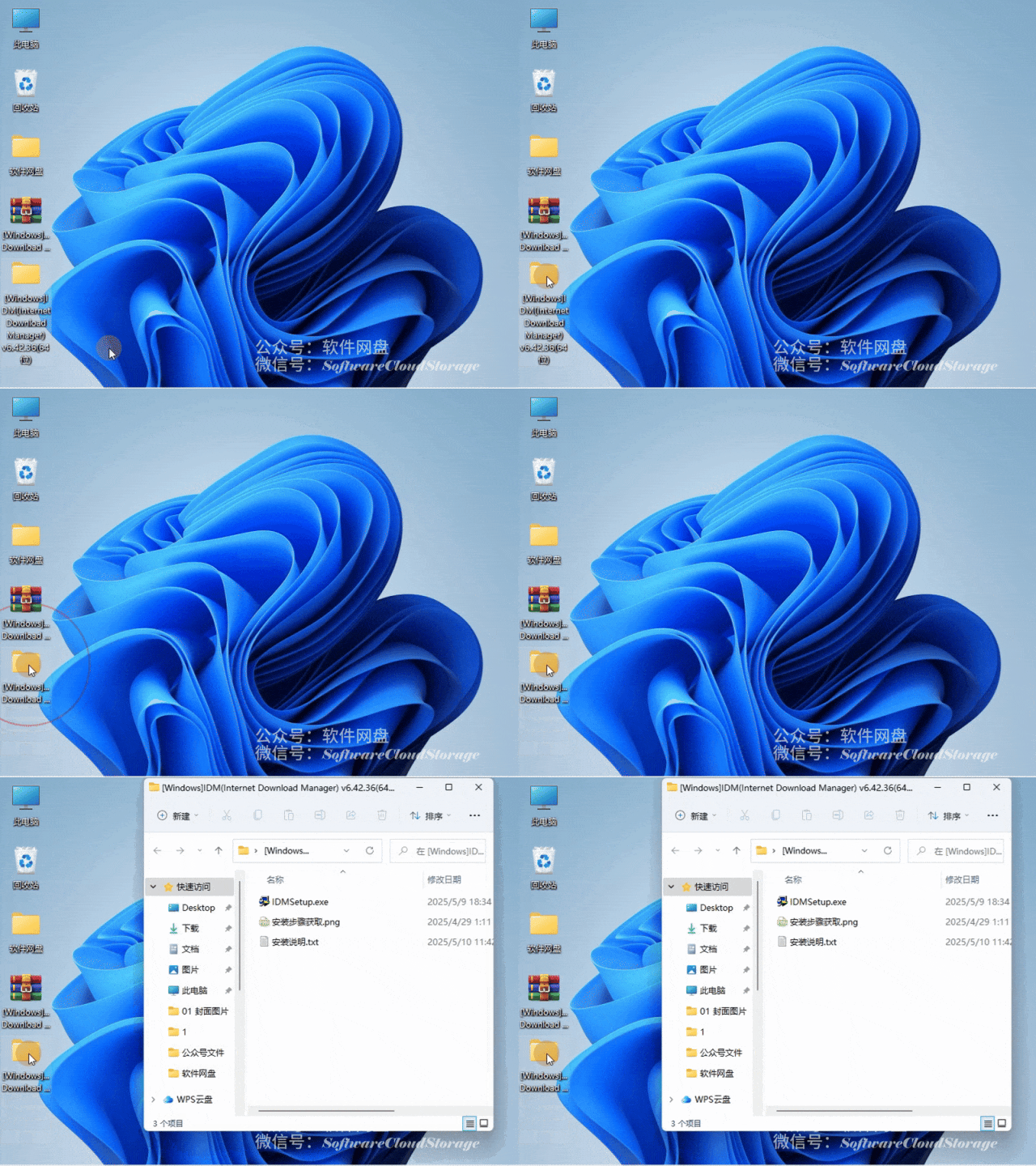
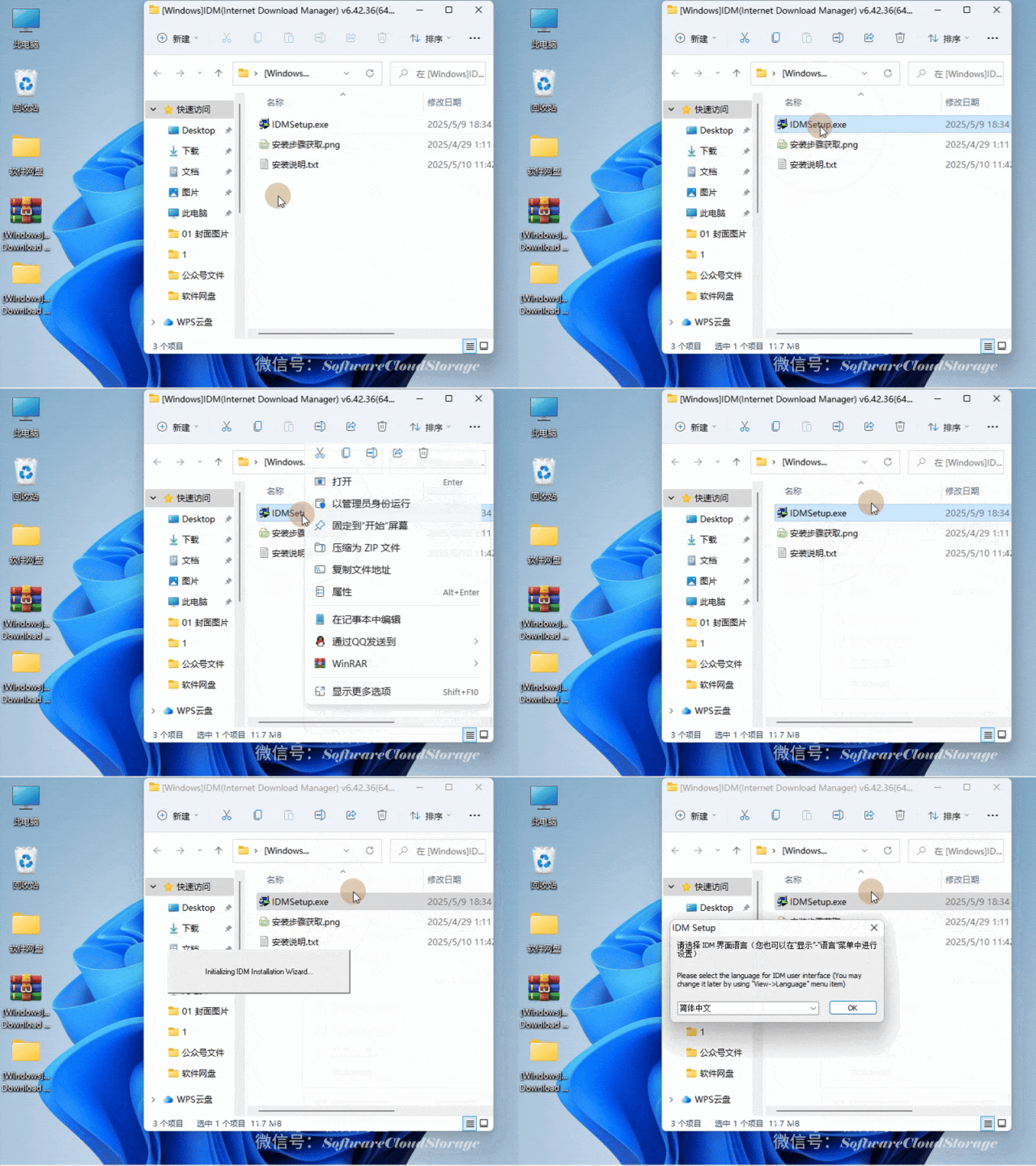
双击打开【IDM(Internet Download Manager) v6.42.36(64位)】
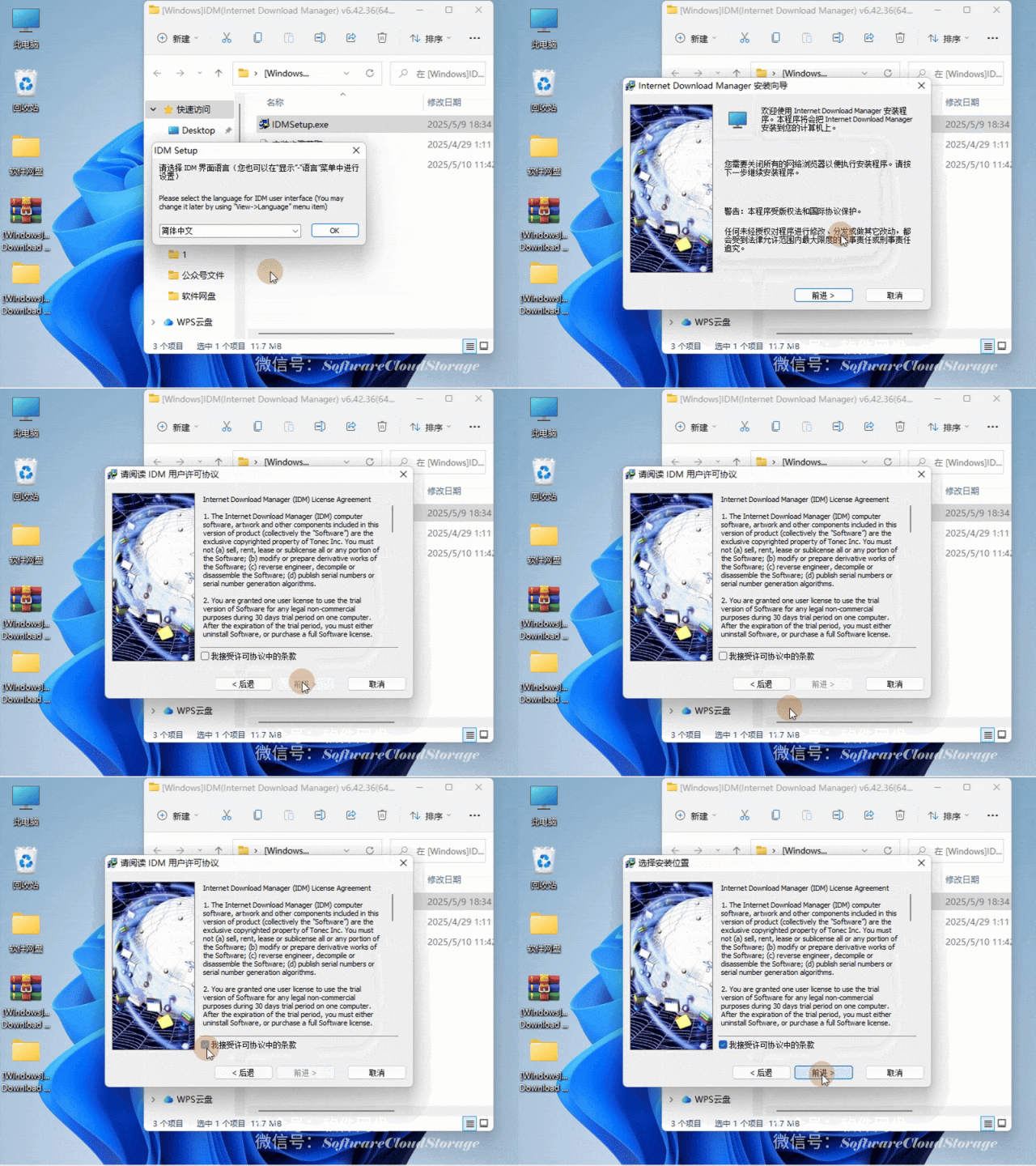
点击【OK】➡【前进>】➡【我接受许可协议中的条款】➡【前进>】
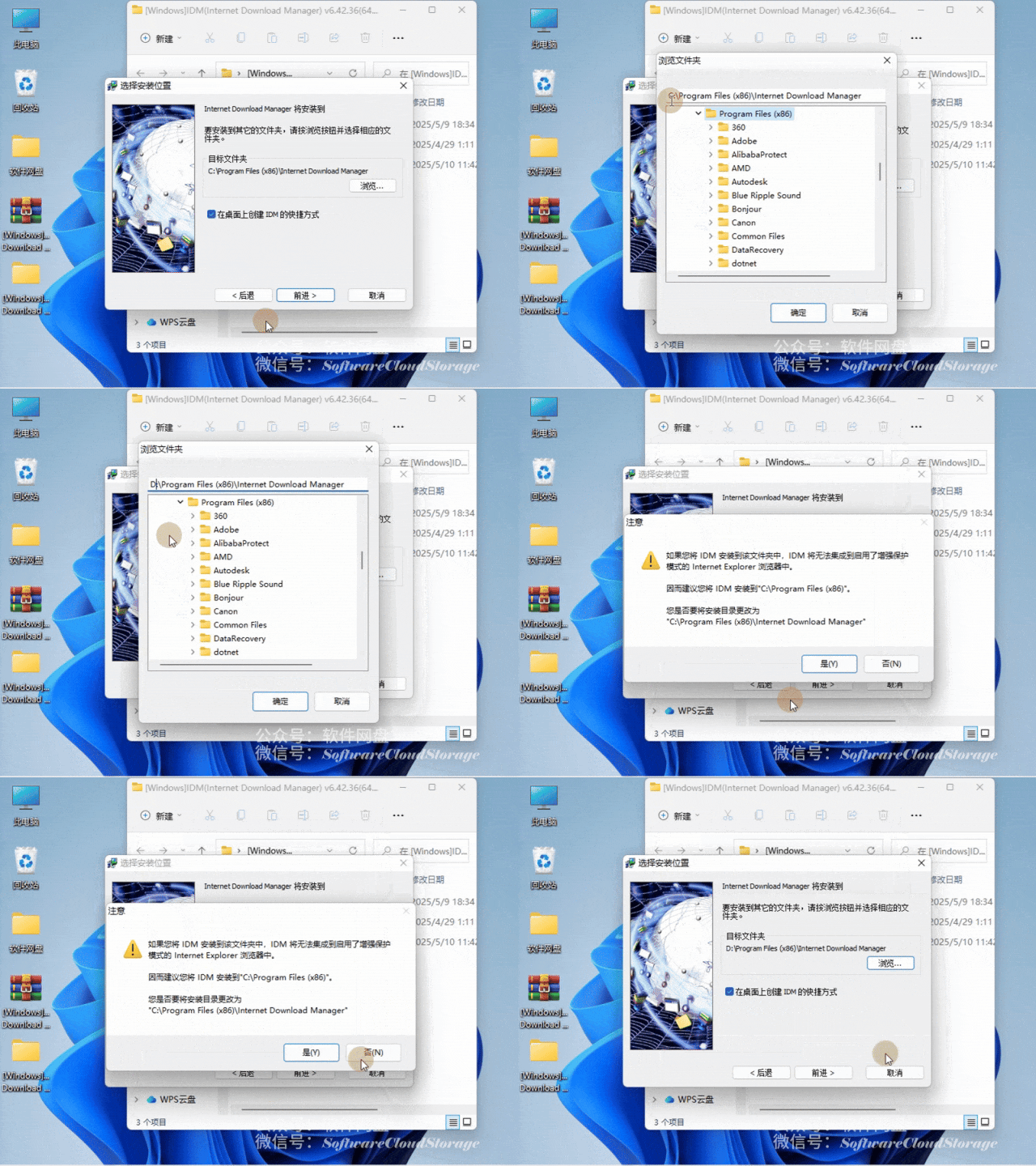
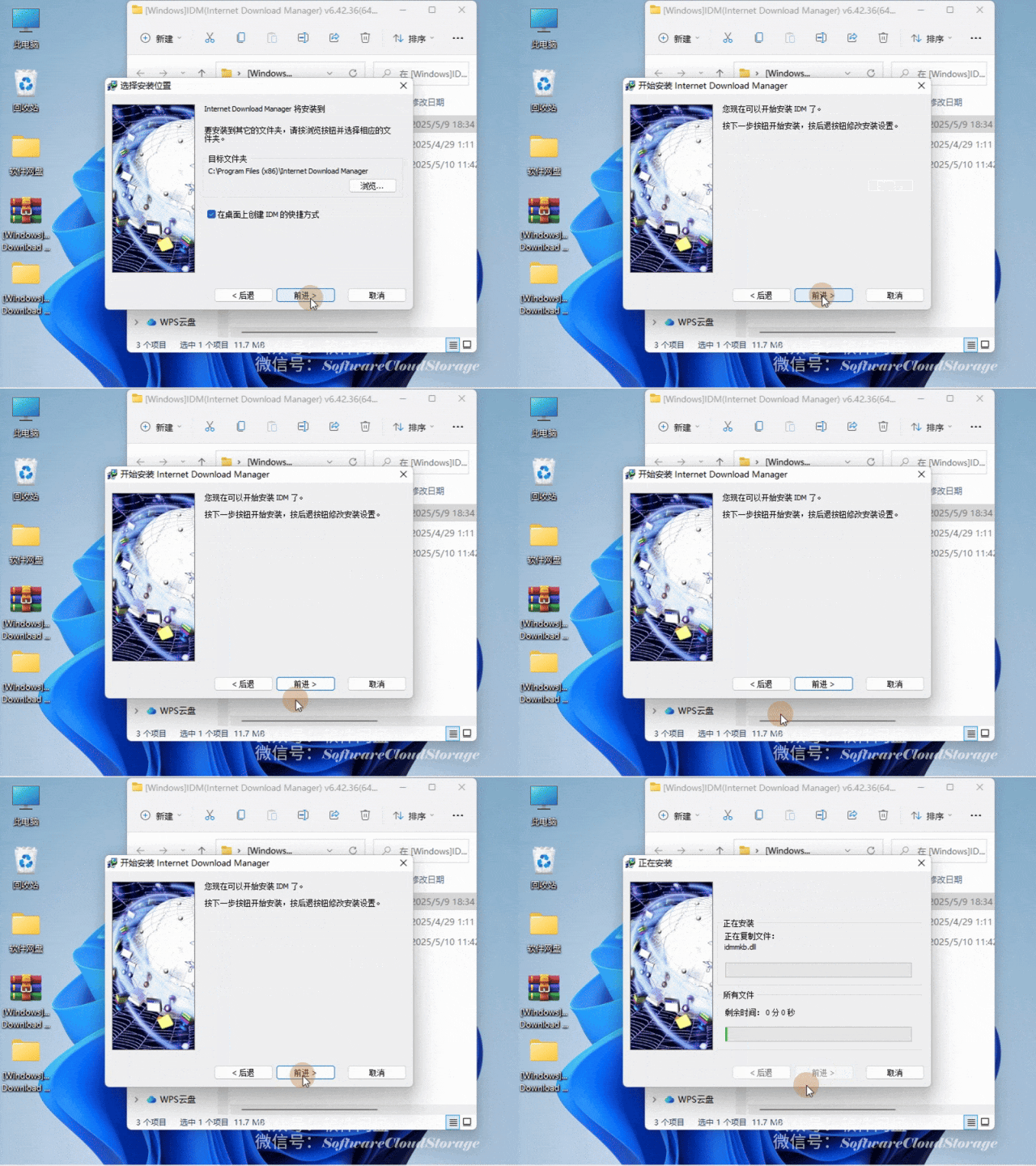
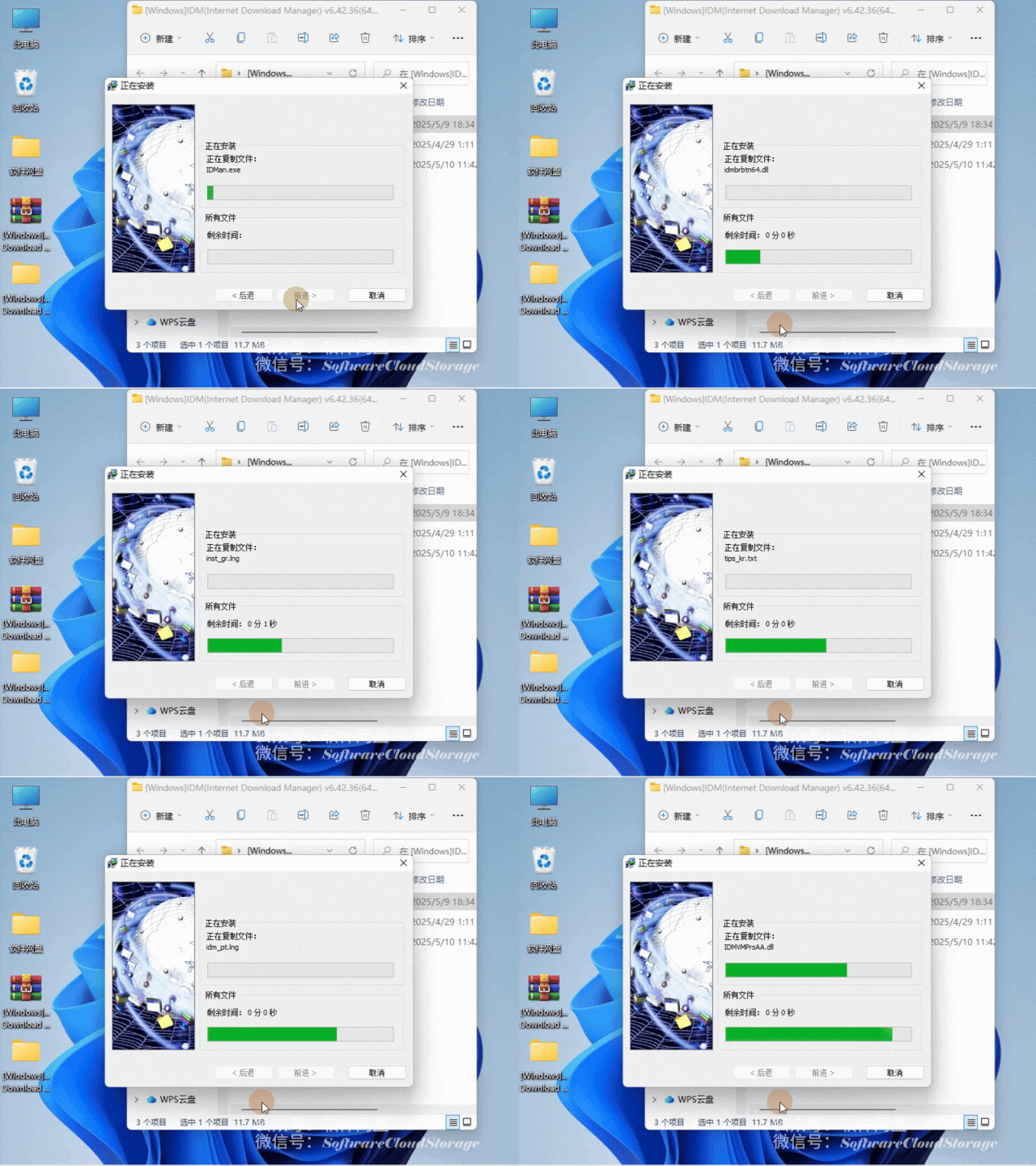
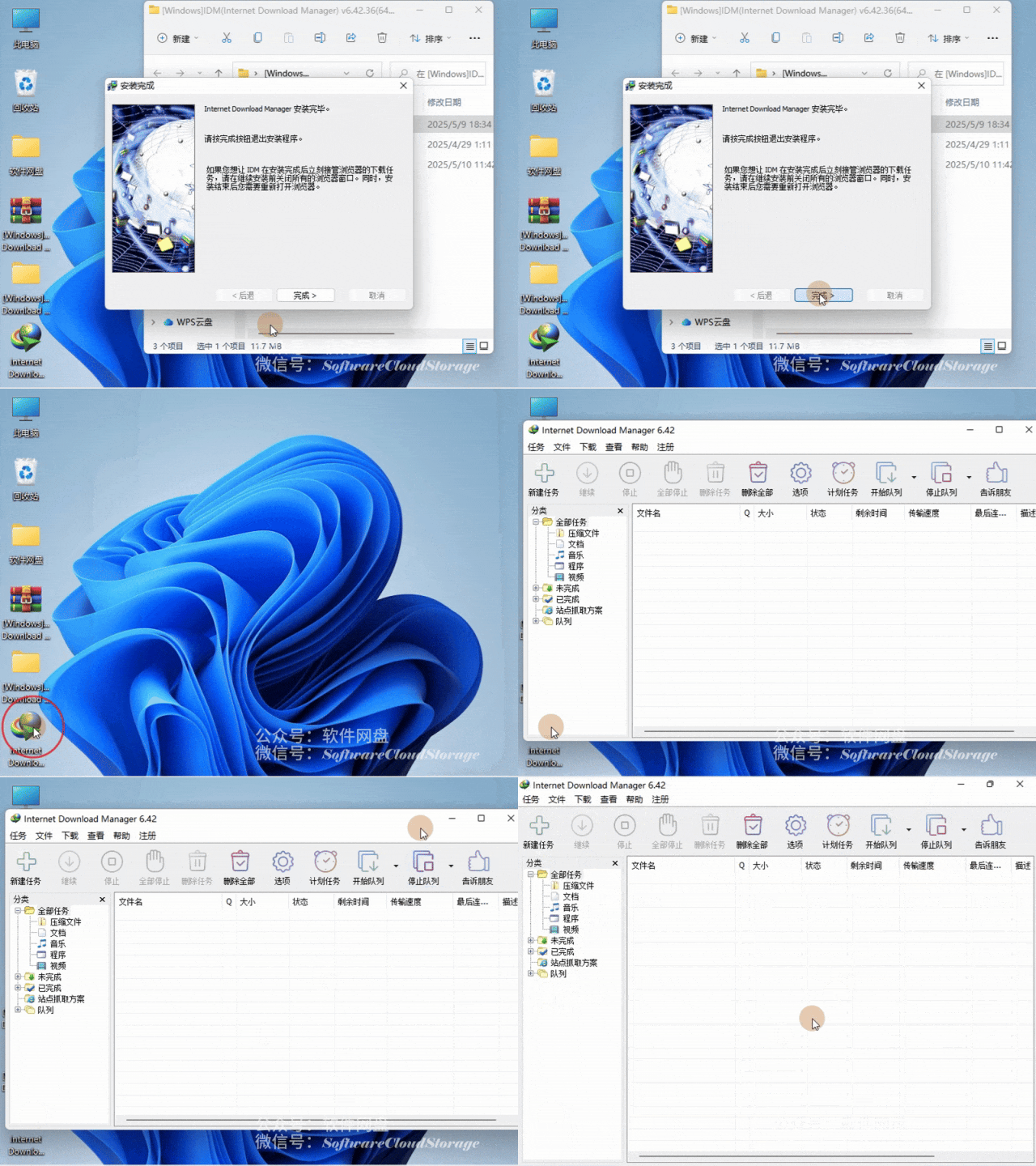
点击【前进>】(建议调整安装到D盘或其他位置➡点击【确定】➡【否(N)】)
自由是灵魂的氧气!
Freedom is the oxygen of the soul!
微信号:SoftwareCloudStorage
回复以下数字获取精彩内容
047
👇🏻点击下方内容关注我们🤝🏻








 10个月宝宝每天需要喝多少奶粉?

